
Tech Guide
The connector on your branded USB drive says something about your business. USB-C signals modern and forward-thinking. USB-A signals safe and universal. This guide helps you pick the right one.
USB-A is the classic rectangular connector found on virtually every computer made in the last 20 years. It only plugs in one way, supports speeds up to 10 Gbps, and remains the most universally compatible option available. If your recipients are using older desktops, projectors, or mixed IT equipment, USB-A works straight out of the box.
The downside? It is a legacy standard with no further development planned. More devices are dropping USB-A ports every year.
USB-C is the modern, reversible connector now standard on all new laptops, MacBooks, smartphones, and tablets. It supports speeds up to 40 Gbps (USB4), power delivery up to 240W, and has been the EU-mandated charging standard since December 2024 - with laptops following from April 2026.
The USB-C market is projected to exceed $45 billion in 2026. Over 85% of new smartphones already ship with USB-C, and 98% penetration across premium devices is expected by the end of this year. For branded USB-C flash drives, UK businesses are increasingly choosing USB-C as the default.
Speed - USB-A: up to 10 Gbps. USB-C: up to 40 Gbps. Four times faster for transferring presentations, portfolios, and video content.
Reversible Plug - USB-A must be inserted one way. USB-C plugs in either way round - a small detail that makes a noticeable difference to user experience.
Compatibility - USB-A works with the broadest range of existing hardware. USB-C is standard on all modern devices but will not fit older USB-A-only ports without an adapter.
Future-Proofing - USB-A development has stopped. USB-C is actively evolving, with USB4 v2.0 pushing speeds toward 80 Gbps. EU mandates are accelerating the transition globally.
Size - USB-C connectors are significantly smaller, enabling slimmer, more premium drive designs.
Brand Perception - Recipients associate USB-C with current technology. A USB-A drive still works, but may signal your brand is not keeping up.
Cannot decide? Dual connector promotional USB drives feature USB-C on one end and USB-A on the other - one drive that works with every device. Files saved via one connector are accessible from the other.
Dual connector drives have a higher keep-rate than single-connector alternatives. Recipients actually use them because they work with everything they own - and every time they do, they see your logo.
Browse the full range of branded USB-C drives with dual connectors for styles, capacities, and pricing. Targeting Apple users? See our iPhone-compatible USB drives with dual Lightning connectors.
USB-C is now mainstream - 85%+ of new smartphones and nearly all new laptops ship with USB-C. It is no longer a premium niche.
EU regulation is global in practice - The UK is not bound by the EU Common Charger Directive, but devices are converging on USB-C worldwide. Your recipients’ hardware is shifting whether UK law mandates it or not.
Capacity expectations are rising - Promotional flash drives 2026 buyers expect 32GB–128GB for video content, interactive presentations, and software demos. USB-C handles these larger files faster.
Sustainability matters - Eco-friendly materials (recycled plastic, bamboo, biodegradable) paired with USB-C position your brand on the right side of two trends at once.
Marketing agencies → USB-C. Teams and clients are on modern hardware.
Events & conferences → Dual connector. Mixed devices in the audience.
Corporate gifting → Match your IT estate. USB-C if standardised; dual if mid-transition.
Photographers → USB-C. Speed and premium feel matter for client delivery.
Tech companies → USB-C only. Anything else contradicts the brand.
Public sector & education → USB-A or dual. Longer hardware refresh cycles.
USB-A - universally compatible, budget-friendly, works with every computer in circulation. Best for mixed or older audiences.
USB-C - faster, modern, EU-mandated, premium perception. The default choice for forward-thinking campaigns in 2026.
Dual connector - both connectors in one drive. Widest compatibility, highest keep-rate, best overall value for most B2B campaigns.
The USB-C transition is here. Over 85% of new devices ship with it. Choose a connector that reflects where your audience is heading, not where they have been.
A few best sellers to get you started - every one available with this service.
Request a quote and a dedicated account manager will reply with pricing and a free visual mock-up, usually within one working hour.
We use cookies to run this site, measure traffic and support our marketing. You can accept all, reject non-essential, or choose which to allow. Read our Cookie Policy.
Choose which cookies we can use. Strictly necessary cookies are always on because the site cannot work without them.
 Online now
Hi, I am Olivia - USB Makers’ virtual assistant. I am here around the clock to help you spec, brand and order custom USB drives, power banks and tech gifts, and to point you to a fast, no-obligation quote.

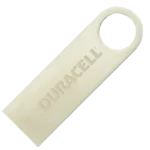 Anubis USB
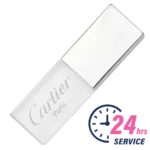 Crystal USB
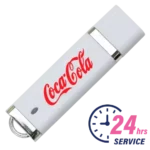 Dixie USB
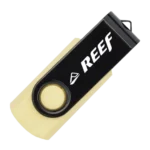 Eco Twister Duo USB