
USB Stick Artwork
Guidelines
Follow our simple guidelines to ensure your logo looks perfect on your branded USB memory sticks. Supplying artwork the right way is the biggest single factor in how sharp your branding prints, so this page walks you through everything our design team needs before your order goes to print.
You will find the file formats we accept, why vector artwork such as AI, EPS or PDF always outperforms a JPEG, how print areas differ between twister, credit card, wooden and custom PVC drives, and how Pantone references keep your brand colours accurate on UV printed and laser engraved finishes.
Every order includes a free digital proof, so you see exactly how your logo will sit on the drive and can approve it before a single unit is printed. If anything in your artwork needs attention, our in-house design team will flag it and help you put it right before printing.
Quick Overview
The five things that matter most, at a glance.
AI, EPS or PDF preferred (vector format)
Convert all text to outlines
Use solid Pantone colours (no gradients)
100% actual size or scale 1:1
Minimum 300 DPI for raster files
These guidelines exist to get your order printed right first time. They are worth two minutes of your time - or your designer’s - because artwork supplied in the wrong format is the single most common cause of delay on a branded USB order. That said, they are a reference, not a gate: if you cannot meet a requirement on this page, send what you have anyway and our graphics team will assess it free of charge. A large share of orders arrive with imperfect artwork and go to print on schedule regardless, because fixing files is part of the job.
The Short Version
For those who just need the checklist:
- Supply a vector file - .AI, .EPS or vector PDF - with all fonts converted to outlines.
- Include your Pantone references if your brand guidelines specify them.
- Use a transparent background, not a white box.
- If only a raster file exists (.PNG, .JPG, .PSD), make it high resolution - at least 300dpi at the final print size, and bigger is better.
- Unsure about any of it? Attach the file to the quote form and let us look.
Artwork Dos & Don’ts
Follow these simple rules for perfect results every time.
- Supply vector files (AI, EPS, PDF)
- Convert all fonts to outlines
- Use solid colours (Pantone where possible)
- Keep designs simple and clean
- Provide artwork at actual size (100%)
- Ensure lines are at least 0.5pt thick
- Do not use low resolution images
- Do not use gradients or transparency
- Do not use thin lines (less than 0.5pt)
- Do not place important details too close to edges
- Do not use RGB or process colours
- Do not send screenshots or Word and Excel files
Good vs Bad Examples
See the difference that good artwork makes.
(crisp and clear)
(blurry)
LOGO
(clean finish)
LOGO
(not possible)
NAME
(perfect print)
NAME
(may not print)
File Formats: What Works and Why
Logo files come in two fundamentally different kinds, and knowing which you have answers most artwork questions before they are asked.
Vector files (.AI, .EPS, vector PDF) describe your logo as mathematical shapes rather than pixels. They can be scaled to any size - a business card or a billboard - with perfectly crisp edges, and each colour in the design exists as a separate, editable element, which is exactly what screen printing needs when it lays your colours down one Pantone ink at a time. If your logo was professionally designed, a vector version exists somewhere: the designer, your brand guidelines folder or your printer will have it, and it is worth the email to retrieve it.
Raster files (.PSD, .PNG, .JPG) describe your logo as a grid of pixels. They are perfectly acceptable - particularly for full colour digital printing, where photographic detail is the point - but they only look sharp up to the size they were created at, and separating their colours for spot printing takes manual work. A high-resolution PNG with a transparent background is the best of the raster options; a small JPG saved from a website is the weakest thing we are ever sent, and the one most likely to need redrawing.
USB Artwork Best Practices
Essential guidelines for professional, print-ready USB artwork that looks perfect every time.
Fonts: Convert Text to Outlines
The most common silent failure in artwork is a missing font. If your logo file contains live text and we do not have the typeface installed, software substitutes another font without asking - and a substituted strapline can look close enough to slip past a quick glance while being obviously wrong on ten thousand drives. The fix takes ten seconds in Illustrator: select the text and choose Type, then Create Outlines, which converts the lettering into fixed shapes that render identically everywhere. If your designer sends the file, ask them to outline the fonts before export; it is standard practice and they will know exactly what you mean. Alternatively, send the font file alongside your artwork and we will handle it.
Colours: Pantone, CMYK and RGB
Which colour system matters depends on how your drives are being branded. For spot screen printing - the method behind most USB orders - inks are mixed to Pantone references, so if your company brand guidelines specify PMS colours, include them with your artwork and they will appear on your proof by number. Where no references are supplied, our graphics team matches as closely as we can and states the chosen references on the visual proof for your approval, but a match from guidelines always beats a match by eye. For full colour digital printing, artwork should be supplied in CMYK colour mode where possible. And a caution that applies to both: colours picked from a website are RGB or hex values, which are screen colours - they convert to print only approximately, which is one more reason the brand guidelines document is the right source. The same logic applies in more depth to Pantone matched shells.
Print Areas and Logo Sizing
The print area on a typical USB stick is small - usually two to three centimetres across - and every style is different, so the specific dimensions are listed on each product page. Two practical rules cover most situations. First, supply your artwork larger than the final print size: scaling artwork down keeps it crisp, while scaling a small file up degrades it (vector files are exempt - size is irrelevant to them, which is much of their charm). Second, match your logo’s shape to the space: wide logos suit drives with long print areas, tall logos may need rotating 90 degrees on slim styles, and a logo with a strapline in small text usually prints better with the strapline removed than with it rendered illegibly. We flag all of this at the proofing stage, but designers who account for it up front save themselves a revision round.
High Resolution Versus Low Resolution
For raster files, resolution decides everything. A high-resolution file prints with clean, crisp edges; a low-resolution file prints with the pixelation, grey fringing and blur you can see in the comparison above - and no printing process can restore detail that the file does not contain. The working standard is 300dpi at the final printed size; since USB print areas are small, most decent files clear this bar comfortably, and the ones that fail are almost always thumbnails, favicons or images saved from web pages at screen resolution.
Artwork for Engraving and Special Cases
A few branding methods have their own requirements. Laser engraving - the standard branding for wooden and metal drives - is a single-tone process: the artwork should be solid single-colour with no tints, gradients or shading, because the laser either marks the surface or does not. A vector logo nearly always converts cleanly; a logo that depends on colour contrast between elements may need simplifying, which we will show you on the proof. Full colour printing onto flat surfaces such as the credit card USB happily accepts photographs and complex artwork at 300dpi. And fully custom moulded drives follow their own path: product photographs from several angles are more useful than print-ready files, since the design team builds the 3D artwork for you.
What Not to Send
Learned from years of inboxes, the files that cause the most delay, in rough order of frequency: a logo pasted inside a Word or PowerPoint document (the act of embedding compresses it - send the image file itself); a screenshot of your website header; a logo with a white background box baked in, which prints as a visible white rectangle on any coloured drive (a transparent PNG or vector solves this, and we can often remove the box for you); and tiny files - email signature graphics and favicons - that were never meant to be printed. None of these is fatal, and we have rescued all of them more times than we can count, but each one usually costs a round of email that better files avoid.
No Usable Logo At All?
Not a problem, and more common than you might think. If a redraw is feasible, our studio will vectorise a simple logo free of charge - we will tell you honestly if yours is too complex before anything proceeds. If there is no logo yet, supply your wording, preferred typeface and colours and we will set the artwork for you, exactly as described on our printing and engraving page. Either way, nothing goes to production until you have approved a visual proof, so imperfect starting artwork carries no risk of an imperfect finished drive - get in touch and let the graphics team take it from here.
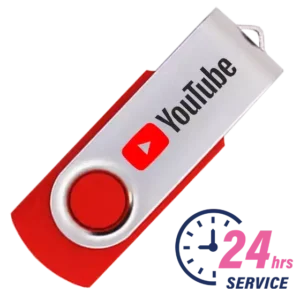
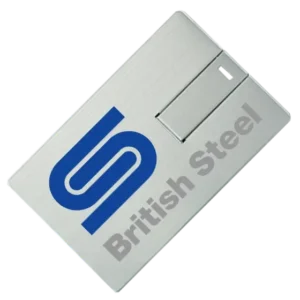
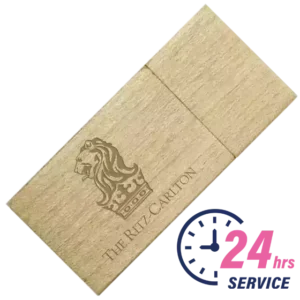
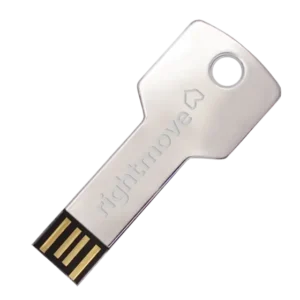
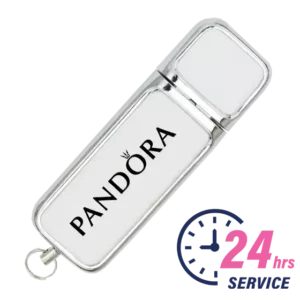
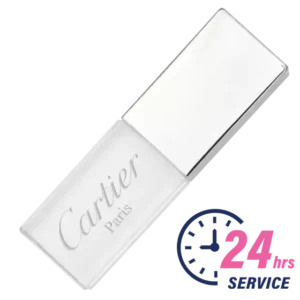
Popular USB Sticks we Print & Engrave
Choose from 100+ styles to match your brand.
Compare Products
Compare your shortlisted products side by side and choose the best fit for your brand.
Help & Support
Frequently Asked Questions
A vector file - .AI, .EPS or vector PDF - with fonts converted to outlines. Vector artwork scales to any size without losing sharpness and allows each colour to be separated for spot printing, which is why it is the professional standard for logo reproduction.
Yes, provided it is high resolution - at least 300dpi at the final print size. A PNG with a transparent background is the strongest raster option. Small or compressed files may need redrawing, which our studio can usually do free of charge for simple logos.
It converts the live text in a design file into fixed shapes, so the lettering displays identically on any computer regardless of which fonts are installed. Without it, missing fonts are silently substituted and the printed text may not match your brand. In Adobe Illustrator, select the text and choose Type, then Create Outlines.
300dpi at the size it will be printed. USB print areas are small - typically two to three centimetres - so most professionally produced files meet this comfortably. Files saved from websites at screen resolution generally do not.
Only if your brand guidelines specify them, in which case include them with your artwork and they will appear on your proof by number. If not, our graphics team matches your colours as closely as possible and states the chosen Pantone references on the visual proof for your approval before printing.
Solid single-colour artwork with no tints, gradients or shading, ideally as a vector file. Engraving marks the surface in a single tone, so designs that rely on colour contrast may need simplifying - any changes are shown on your proof before production.
On a white drive, no; on any coloured drive, the box prints as a visible white rectangle. Supply a transparent PNG or a vector file instead, or send what you have - removing a background box is a quick job for our studio on most logos.
We tell you before anything is charged or produced. Simple logos are usually redrawn as vector artwork free of charge; where redrawing is not feasible, we explain the options, including setting fresh artwork from your wording, typeface and colours. Every order receives a free visual proof, so the artwork is confirmed before production begins.
Get Your Quick Quote
on Branded USB Sticks
Premium branded USB solutions with no hidden costs. Fast quotes, reliable delivery and guaranteed quality on every order. From single-colour logo printing to fully bespoke drives, our team handles artwork, data pre-loading and packaging, with a dedicated account manager guiding you from first enquiry to delivery.
- No Setup Fees
- Data Pre-loading Available
- Free Digital Proof
- 10-Year Warranty
- Bulk Pricing Available
- Express Options
- UK, US and Worldwide Delivery
- Dedicated Account Manager
Quote
Proof
Delivery
700+ Businesses